Its own engine
Your signal runs on a separate audio engine from the song. It never passes through the tempo and pitch stage, so slowing the song down never slows you down.
A native Mac app for musicians
Trax splits any song into six stems locally on your Mac. Mute your part, loop the hard bar, slow it down, plug in your instrument or mic and play.
Apple Silicon · macOS 14 or later
Splits on-device
A synthesised loop running in your browser. Trax lays out any song you drop on it the same way.
1 Measured on a Focusrite Scarlett Solo at a 64-sample buffer. 2 On an M5; older chips take longer.
That was the demo. This is Trax.
For guitarists, bassists, drummers, keys players, singers, and the cover band they all play in.
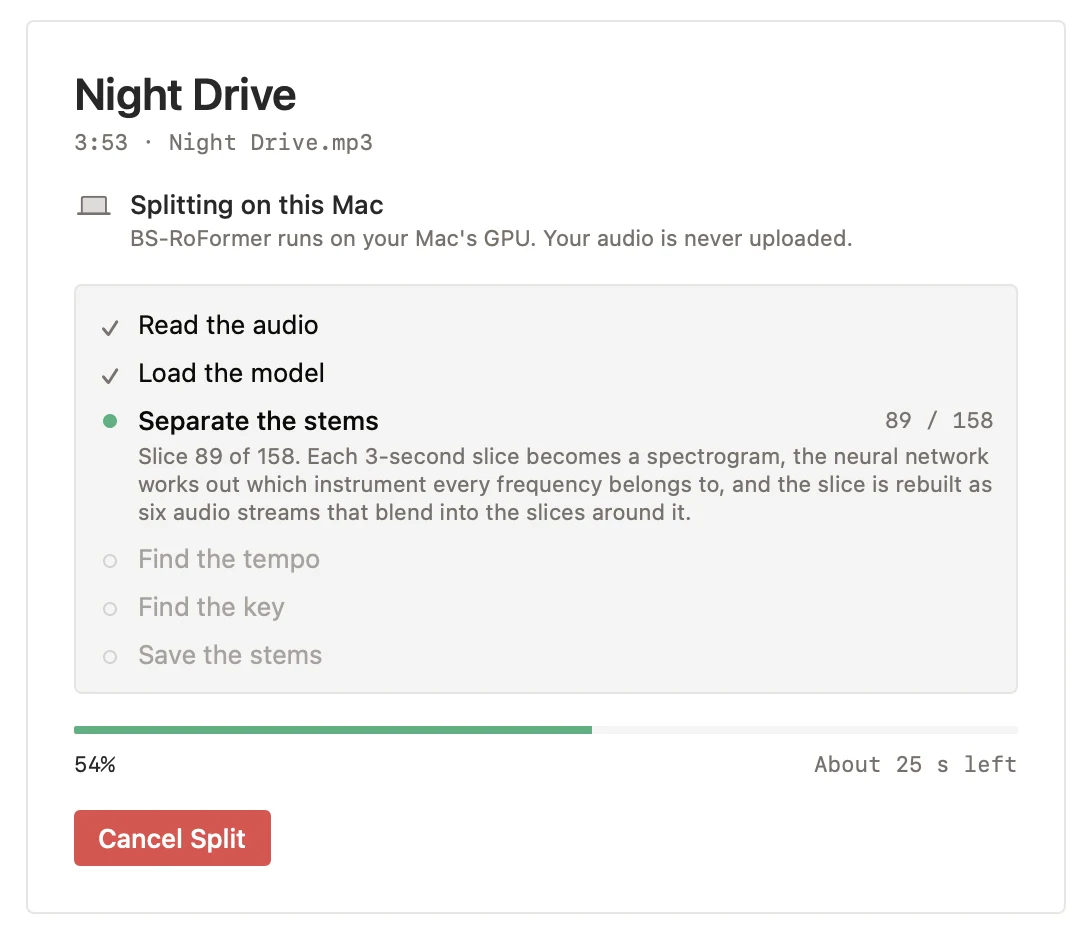
01 Split
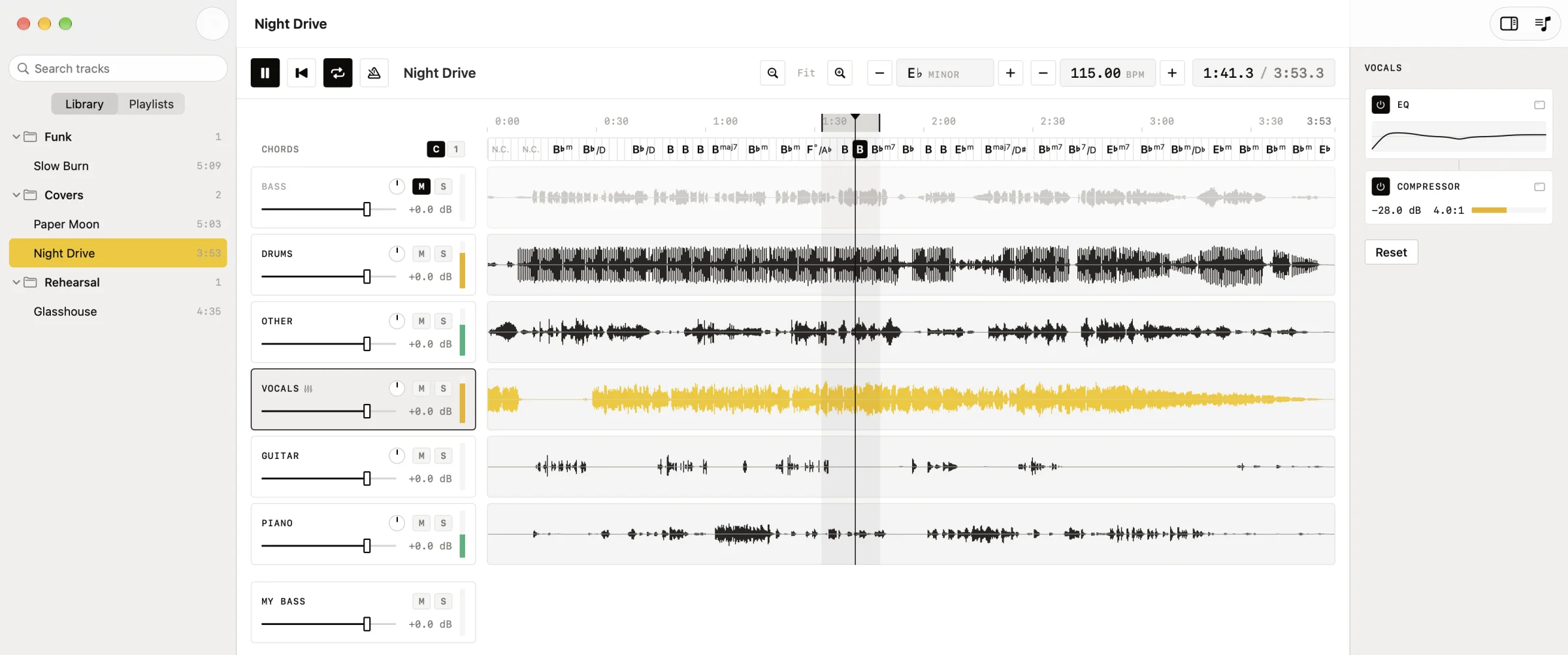
Drop a song on Trax. About a minute later it is bass, drums, vocals, guitar, piano and everything else, on six lanes locked together to the sample. The neural network runs on your Mac's GPU.
02 Plug in
Your guitar, bass, keys or microphone gets its own lane under the stems, with a fader, mute, solo and a live meter. Three milliseconds is the time sound takes to cross one meter of air: the same as standing a step from your amp.
Drawn to scale. Measured round trip, instrument in to sound out, on a Focusrite Scarlett Solo at a 64-sample buffer. The speakers alone account for about 17 of those 20 ms, so use the interface for output too.
Your signal runs on a separate audio engine from the song. It never passes through the tempo and pitch stage, so slowing the song down never slows you down.
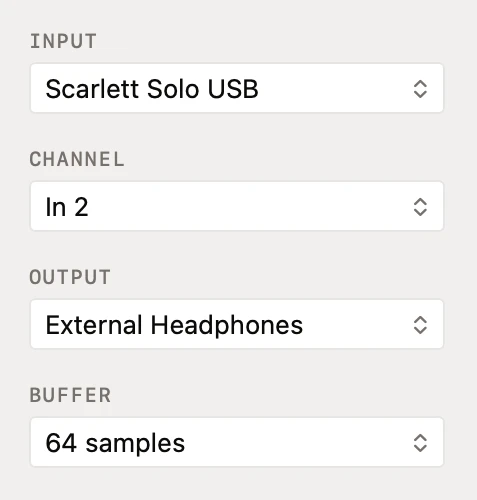
Pick the input, the channel, the output and the buffer in one visible panel. Interface in and laptop speakers out works too: Trax joins the two devices for you.
03 Practise
Everything a practice session needs is on one screen, and none of it needs setting up. Drag on the ruler and you have a loop. Press Space and you are playing.
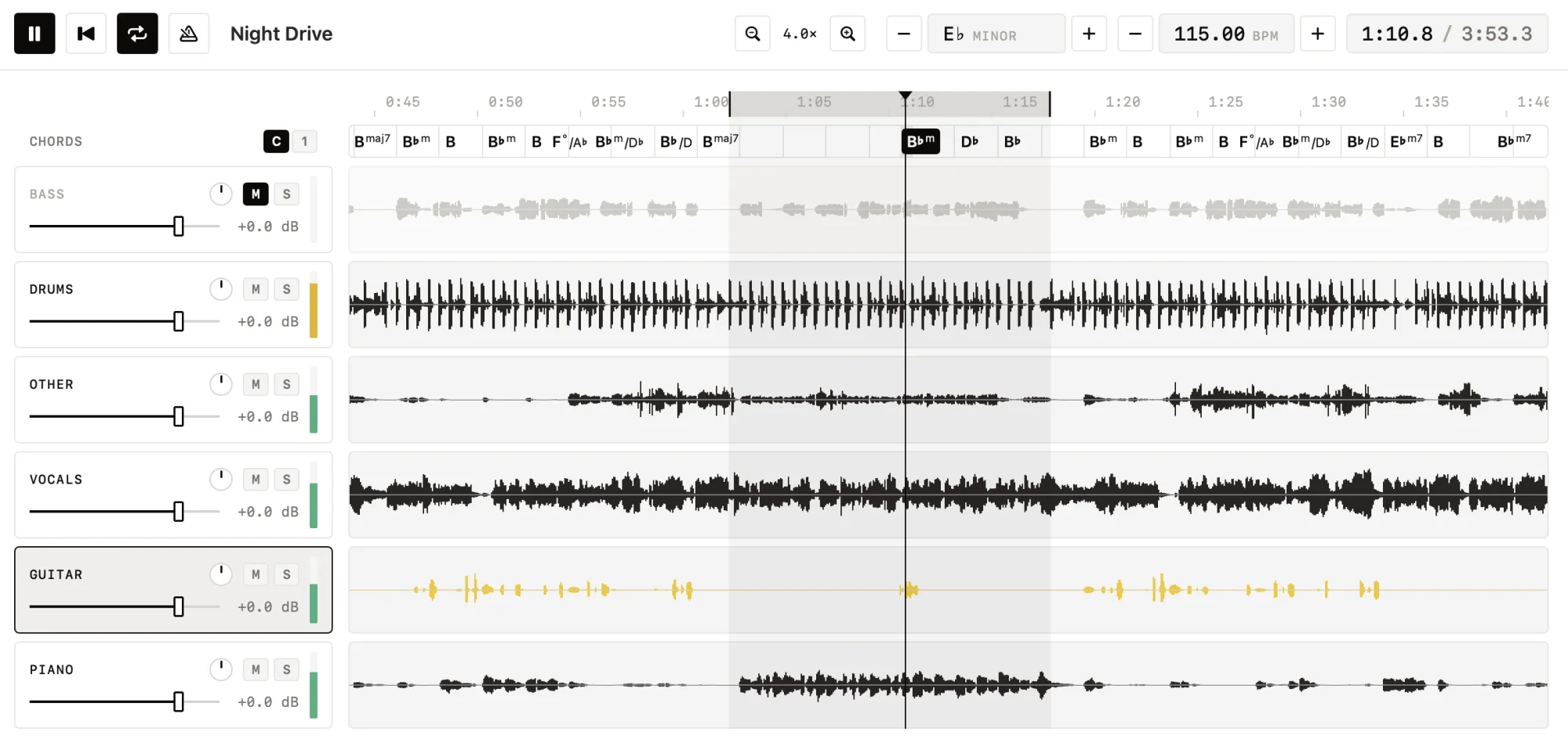
Drag on the ruler. The ends snap to the beat, and the wrap is gapless and sample-exact, at any speed.
Set the tempo you want to hear. The key stays put, and the stems stay locked.
Shift the whole song a semitone at a time, to your singer's key or your tuning.
One bar of clicks at the tempo you chose, then the song comes in on the beat.
Detected from the stems as part of the split. BPM to two decimals.
Space play L loop ←→ 5 s ↑↓ lane level
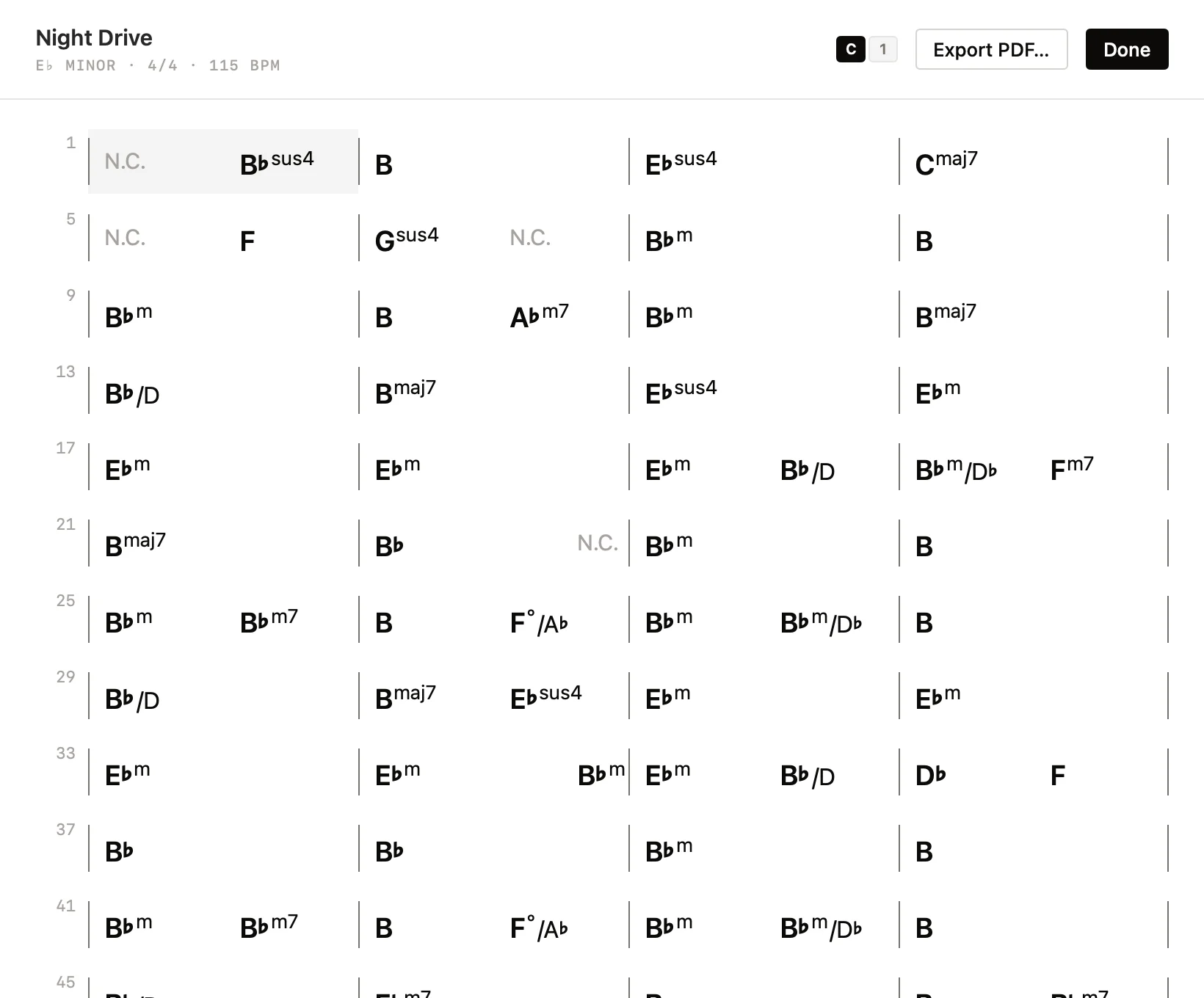
Chord charts
Trax listens to the stems and lays the song out bar by bar, with slash chords read from the bass. Chords follow the playhead above the lanes while you play.
Split your first song before this coffee goes cold.
Apple Silicon · macOS 14 or later
Splits on-device
04 Mix
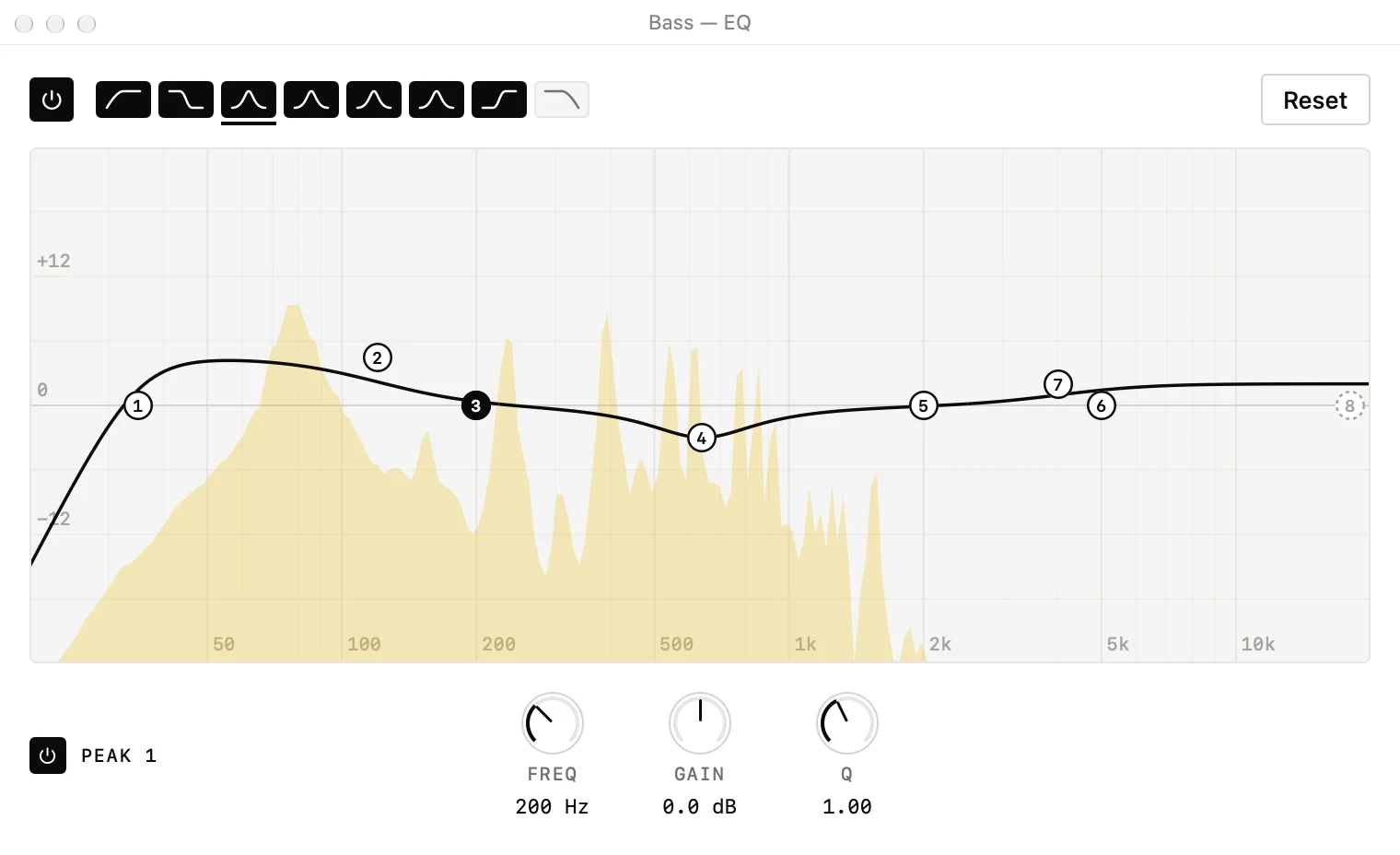
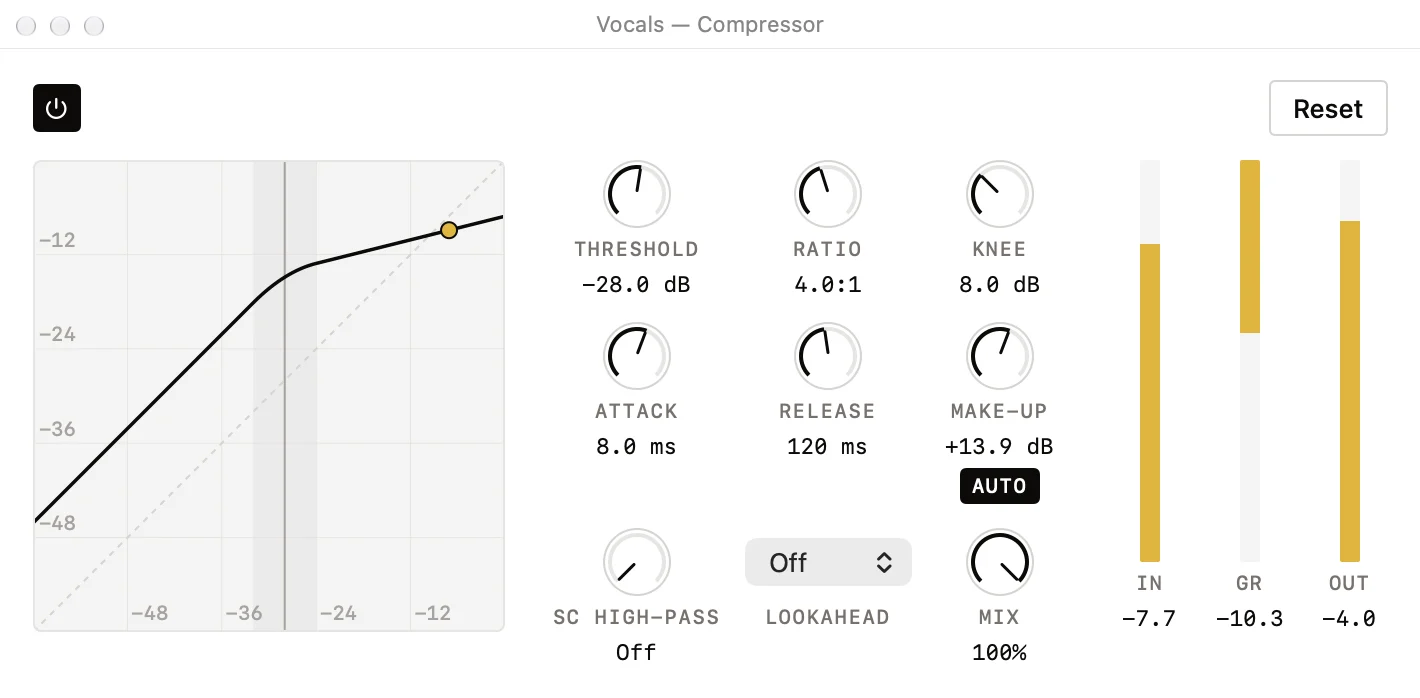
Most stem apps give you a volume slider. Every lane in Trax has a fader, pan, mute, solo, a true meter, and a channel strip you would recognise from a DAW. Make the backing track sound the way you want to play over it.
| Online stem splitters | Trax | A full DAW | |
|---|---|---|---|
| Splitting a song into stems | On their servers | On your Mac | Sometimes, or with a plug-in |
| Play your instrument through it | — | Yes, about 3 ms | Yes |
| EQ and compressor on each stem | Rarely | Yes | Yes |
| Set list and stage mode | — | Yes | Rarely |
| Recording, MIDI, third-party plug-ins | — | No | Yes |
| From a file to playing along | Upload, wait, download | Drop it in | Set up a project |
Export what you hear as a 24-bit WAV, or all six stems, sample for sample.
05 Perform
Build a set list from songs you have already dialled in. Each one plays with its own mix, tempo and key. Press Perform and the screen becomes the only thing you need to see from across the stage.
Night Drive
Paper Moon
A sped-up sketch of the stage view. Press Perform to run the set again.
A bar of clicks into each song at its own tempo, or blend one into the next over up to ten seconds. Preview any transition before the gig.
The next song's count-in starts on the exact sample the last one ends. Two decks, pre-loaded, so there is never a gap to fill with banter.
Play just a section of a song for a medley. Drive the set with Space ← →, and keep playing through your input lane the whole time.

Apple Silicon · macOS 14 or later
Splits on-device
Questions
No. The split runs on your Mac's GPU, and Trax is sandboxed without network access, so it could not send your audio anywhere if it tried. Your original file is never modified; Trax works on its own copy.
A Mac with Apple Silicon running macOS 14 or later. The download is about 340 MB because the separation model is inside the app. There is nothing else to fetch.
This early build is not notarized by Apple yet, so macOS blocks it the first time. Open System Settings, go to Privacy & Security, scroll to the message about Trax and choose Open Anyway. You only do this once.
MP3, WAV, AIFF, M4A and the other audio formats macOS reads. Drop one file, several, or a whole folder.
Trax runs the BS-RoFormer separation model and gives you bass, drums, vocals, guitar, piano and other. Results depend on the recording: dense or heavily effected mixes leave more bleed than sparse ones.
Not to split, loop, slow down or read the chart. To play along with latency you cannot feel, yes: plug your instrument or mic into an interface and listen through it. The Mac's built-in speakers add about 17 ms on their own.
Yes. Export all six stems as WAV, a single stem, or the mix as you hear it (faders, effects, tempo and key included) as a 24-bit WAV. Chord charts export as PDF.
Pricing will be announced at launch.
Drop a file. Give it about a minute. Plug in and play.
Download for MacTrax.dmg · Apple Silicon · macOS 14 or later · about 340 MB
First launch: macOS asks you to allow Trax in System Settings › Privacy & Security › Open Anyway.